
Controls
About this game
Track Design and Retro Presentation
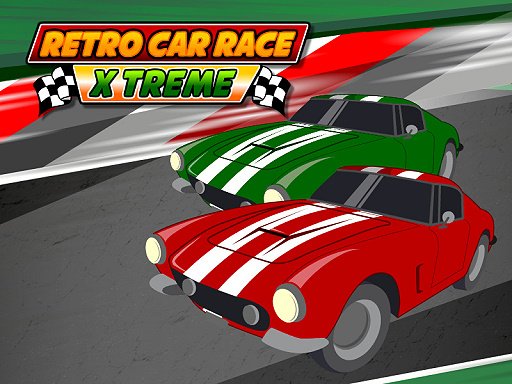
The game uses a top-down camera angle that keeps the whole track visible, so you can read upcoming corners and obstacle placements before you reach them. Tracks are built around barriers and item pickups rather than realistic road conditions. The pixel art and bright color palette deliberately echo old arcade cabinets, which makes the action easy to follow even when two cars are close together. Because the view never rotates or zooms, the challenge comes from track layout and item timing rather than from fighting the camera.
Controls and Two-Player Setup
Keyboard input drives everything. In the standard local multiplayer arrangement, one player uses the arrow keys and the other uses W, A, S, and D on the same keyboard. That shared-device setup is the core of the experience: two people race head-to-head on one machine without any network connection. The controls are intentionally simple, so new players can start racing within seconds, but the positioning battle between two cars on a narrow track rewards practice.
Power-Ups and Race Decisions
Items scattered along the track grant temporary effects such as a speed boost, a shield, or a slowdown aimed at an opponent. The interesting decisions come from when to use them. A boost is most valuable on a long straight where you can hold the advantage; a shield is best saved for the moment a rival closes in with an item of their own; a slowdown is most disruptive when your opponent is entering a tight corner. Colliding with barriers costs momentum, so staying on the racing line matters as much as collecting items.
Who This Suits
The game is free to play in a web browser with no download or setup, which makes it a natural fit for short sessions. Its family-friendly tone and forgiving controls suit younger players and casual groups, while the item-timing layer gives competitive pairs something to master. Anyone expecting realistic physics or a deep single-player campaign will find the scope narrower than that, but as a quick two-player arcade race it does one thing clearly.
Compatibility
Screenshots
How To Play
Player Reviews
Classic Top-Down Racing Game keeps its scope tight: one screen, simple keyboard controls, and a clear goal of finishing first. The power-up system gives races a tactical layer, since boosts, shields, and slowdowns are only as good as the moment you use them. Local two-player support on a single keyboard makes it a natural pick for short sessions with a friend or family member. The trade-off is limited depth for solo players and no sign of online play, so it works best as a quick shared diversion rather than a long-term commitment.
Comments
Sign in to leave a review
Share your rating and tip other players.
No comments yet.





Editorial Notes